Geolocation
Geolocation is a feature that allows you to show different versions of the forms based on the user’s geolocation location.
Where do you get the geolocation database from?
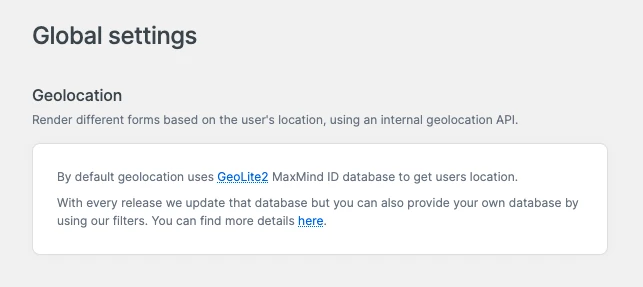
Section titled “Where do you get the geolocation database from?”By default, our geolocation service uses the GeoLite2 MaxMind ID database to determine a user’s location. However, our filters allow you to provide your database.
Where do you get the country list from?
Section titled “Where do you get the country list from?”We use DataHub to list countries for the dropdown menu to select the country of usage.
All releases are listed here and our implementation is located on this link.
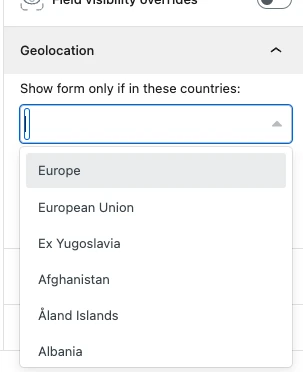
With the default countries list, we have made a few groups:
- Europe
- European Union
- Ex Yugoslavia
but you can also provide your list by using our filters.
How to configure geolocation?
Section titled “How to configure geolocation?”If you want to set up a single form that can adapt to different versions based on the user’s location, navigate to the form usage page (a page, post, custom post type, etc.) and select the “Geolocation” tab.
On this tab, you will see various settings that allow you to customize the form for different geographic regions.
Show only option
Section titled “Show only option”This feature will limit this form only to be shown to the users from the selected country.
Advanced rules
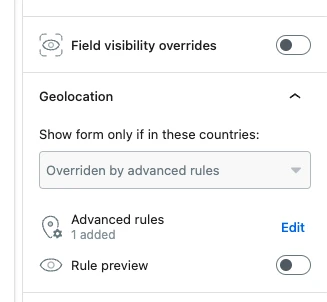
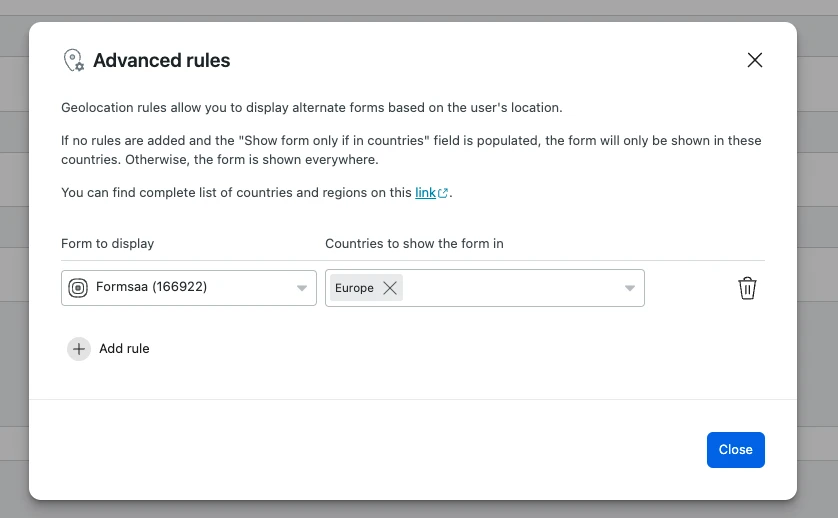
Section titled “Advanced rules”This feature will allow you to create multiple geolocation rules using the Geolocation modal window. Add a new rule, then a new form on the left, and provide one or multiple countries on the right.
Rule preview
Section titled “Rule preview”This toggle is here to help you preview what you have configured so far. It will show you all the forms shown to the user based on the geolocation rules.
Cloudflare
Section titled “Cloudflare”If you have Cloudflare turned on for your project, please make sure that you read the Cloudflare documentation to make sure that the geolocation feature works as expected.
CloudFront
Section titled “CloudFront”If your project runs behind Amazon CloudFront, please make sure that you read the CloudFront documentation to make sure that the geolocation feature works as expected.