Cloudflare
What is Cloudflare?
Cloudflare is a large network of servers that can improve the security, performance, and reliability of anything connected to the Internet. This is done by serving content as a reverse proxy for all of your website's traffic.
How to use
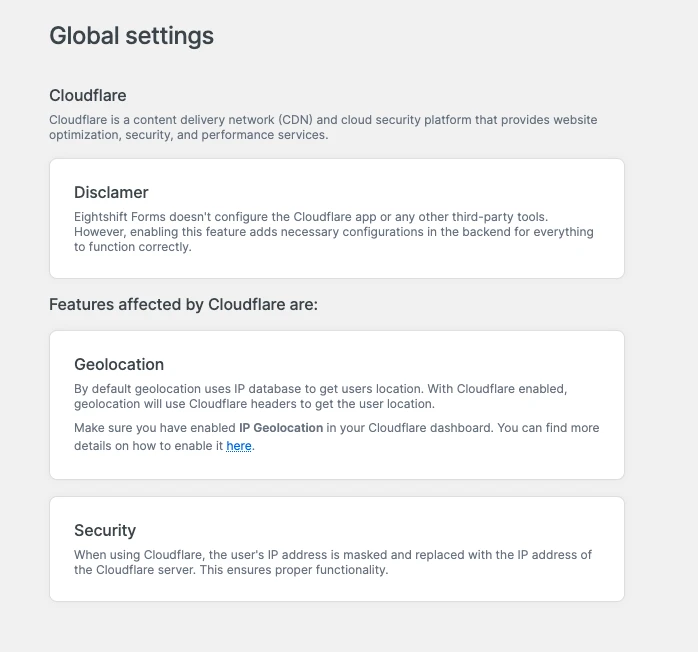
After setting up Cloudflare, head to the Global settings, open Miscellaneous → Cloudflare and enable it. This will set up all the necessary options in the backend for everything to function properly.
If the Cloudflare WordPress plugin is active but this feature is not enabled, a warning is shown on the Geolocation settings page, since geolocation can't work correctly in that setup.
Features affected by Cloudflare
Cloudflare affects the following features:
Geolocation
By default geolocation uses the IP database to get user's location. With Cloudflare enabled, geolocation will use the CF-IPCountry header as a data source.
Make sure IP geolocation is enabled in the Cloudflare dashboard. More details on the Cloudflare IP geolocation functionality can be found here.
Security
When using Cloudflare, the user's IP address is masked and replaced with the IP address of the Cloudflare server. With the feature enabled, rate limiting uses the CF-Connecting-IP header instead, so the limit is applied to the real visitor while keeping all of the users private.
Using Cloudflare and CloudFront together
If your traffic also goes through Amazon CloudFront, see the CloudFront documentation for how the two features combine.